Category: social

  • Disqus Comment System for WordPress

    This blog is now using an interesting new comment system called DISQUS. I like Disqus for the following reasons:

    1. It allows users to log in via multiple sites such as Twitter, Facebook, Open Id, Yahoo and Disqus itself

    2. It allows users to track all their comments made across multiple sites, at a single place

    3. When users manage their comments through Disqus and / or log into Disqus via one of their social networking accounts, the comment they make also gets published in their social networking feed resulting in greater propagation of the source post where the comment was made

    4. Incredibly easy and smooth integration with wordpress

  • Feed, Social Bookmark Drop-down and a Recent referrers hack

    Hello Readers,

    In this post, I have presented the following add-on for Blogger-Beta:

    1. Subscribe drop-down (on-hover) for presenting feed subscription options.
    2. Social Bookmark drop-down for Blogger-beta post footers.
    3. Extreme Socializer – A Social Bookmarking alternative.
    4. Recent Referrers hack by web-messenger.

    1. Feed Subscribe Drop-down (on-hover)

    You might have noticed the Javascript-based subscribe drop-down (activates on mouse hover) in my blog’s widebar. I had got this one from here. Just go to this link, follow the instructions there in, incorporate the code in a widget and say good-bye to that long list of chicklets occupying your sidebar and also present your reader with a large number of subscription options.

    2. Social Bookmark Drop-down

    From the same site I also found a tool to create a Social Bookmark drop-down menu (regular type). As this tool cannot create the links for Blogger beta post footers, I have modified their code and put it up for ready use (Thanks to Ramani for the help). You can download the text file containing this code from here. Simply download the text file and copy-paste the code directly into the post-footer portion of your template. See this add-on in action, here.(To learn how to work with post-footers in blogger beta, click here)

    The advantage of this system is that you can give your readers the option of choosing from a large number of social bookmarking services without:

    1. Sacrificing much space in your post footers.
    2. Taking pains to host the social bookmarking icons (images) and then linking to them in your code.
    3. Increasing your blog loading time by having a lot of images in the post footer.

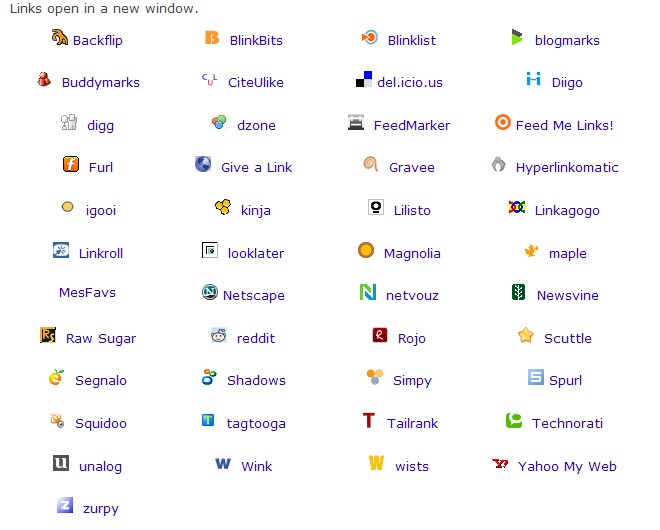
    In addition, inspite of the large list of bookmarking services in this drop-down, your readers should be able to locate a service (of their choice) easily as the list is in an alphabetical order. If you want to add more services to this drop-down you can look-up for them here and for an exhaustive list, go here (you may need to modify to code for blogger beta).

    3. Social Bookmarking alternatives

    Another good alternative to present a large number of bookmarking options to your readers without much trouble, is to use Extreme Socializer. Once a reader clicks on the Extreme Socializer icon, they are taken to the Extreme Socializer website where they can choose from a large number of bookmarking services.

    Here is the code to be used in post-footers, if you want to use this service:

    <a expr:href=’”http://ekstreme.com/socializer/?url=” + data:post.url + “&amp;title=” + data:post.title’ target=’_blank’ title=’Bookmark anywhere with Extreme Socializer’><img alt=’Socialize’ border=’0′ src='[Your image source]’/></a>

    You can pick the image for this one from blog’s my post-footer, but please host it on your own 🙂

    Added on Nov 29, 2006: Deniz from imessengr.com has found another good service that offers a range of bookmarking, feed/podcast aggregating options. Please visit his blog to learn about the service and get the code for your blogs.

    4. Recent referrers hack

    Deniz from web-messengers has presented a hack on how to show a list of recent referrers to your post. You can check-out this hack from here.
  • Extension to a Social Bookmarking hack

    Hello all,

    This is an extension to Han’s hack on social bookmarking links. Please view the original hack here.

    Working on Hans’s original hack, I have added a few more Social bookmarking links to it and also made changes to its JavaScript code (that goes into the head section of the template).

    The links and the JavaScript (js) code are in one text file that can be downloaded from here. If you are already using Han’s hack, and wish to add more links to it, replace the original js code with the one that I have provided in the text file.

    Code to be replaced:

    <script src=’http://home.planet.nl/~hansoosting/downloads/beautifulbeta.js’ type=’text/javascript’/>

    If you require any help, please let me know.

  • Get socially bookmarked! (blogger beta)

    See the image links to the social book marking sites under each of my post footers?

    Working on Ramani’s original post regarding adding hotlinks to Del.icio.us and digit!. I learnt how to rearrange the stuff that appears under each post using the widget code in the template and also added images instead of plain text links for hot linking purpose. Thanks to one Cal Evans I was able to get all the images in one place from the plug-in file on this page. All I had to do was some coding. I must tell you that I am not a programmer or some thing and know very little about coding. But ever since Ramani modified beta blogger templates into 3-column templates I think I have moved from knowledge to knowledge while exploring its code. Thanks to him for that.

    While the tags for Del.icio.us and diggit! were with me from Ramani’s blog, I was lucky to stumble upon this site. It has additional hotlinks and I got the “submit” URL from there. Here is how the code goes:

    http://www.furl.net/storeIt.jsp?u=http://www.broobles.com/blog/posts/46&t=Furl+vs.+Spurl

    becomes (based on the syntax from Ramani’s post)

    http://www.furl.net/storeIt.jsp?u=” + data:post.url + “&amp;amp;t=” + data:post.title’

    This is important to know because if you find other “submit’ hotlinks you can develop the tag on your own. If you like to have all of my hotlinks for your Beta blog template, expand your template widgets and search for “post-labels”. You will find the portion of code shown below. Insert the code in red above the /span tag.

    <span class=’post-labels’>
    <b:if cond=’data:post.labels’>
    <data:postLabelsLabel/>
    <b:loop values=’data:post.labels’ var=’label’>
    <a expr:href=’data:label.url’ rel=’tag’>
    <data:label.name/>
    </a><b:if cond=’data:label.isLast != “true”‘>,</b:if>
    </b:loop>
    </b:if>

    Click here for the hotlink code to social bookmarking site (updated to 22)

    </span>

    Know that [image source] should be replaced with the image URL. Between each set of “span” and “/span” tags, an individual element (like label or quick e-mail icon or comments) is located. And the line on which it is displayed depends on this tag:

    <p class=’post-footer-line post-footer-line-2′>(it encloses elements in line 2, in my blog the hotlinks).

    Here is how the code in my template looks:

    <p class=’post-footer-line post-footer-line-1′>
    <span class=’post-author’>
    [Author and time stamp code]
    </span>
    <span class=’post-comment-link’>
    [Comments code]
    </span>
    <span class=’post-labels’>
    [ label code ]
    </span>
    <span class=’post-icons’>
    <!– email post links –>
    <!– quickedit pencil –>
    </span> </p>
    <p class=’post-footer-line post-footer-line-2′>

    code is here

    </p>

    Though this was not much of a task I feel happy to have done some thing that might be useful for other bloggers.

    P.S. For links to other bookmarking sites in my post footer, copy the link from there and follow the code above. Incase you have any issues implementing this or if you need links for some more sites (checkout this and this) and/or drop a line here.

    Update: Also check out:

    1. An extension to a social bookmarking hack
    2. Feeds, Social Bookmark Drop-downs and alternatives